Table of Contents
Containerized Firefox Kiosk
A conference booth has different requirements to an ordinary workstation. It has to be simple to re-deploy, in case you screw up the booth machine. And it should be simple to test, preferably large parts of it without having the physical machine next to you.
If you have a web-based demo, then one generally picks a full screen browser without any window decoration and menus, commonly referred to as a Kiosk. As a Firefox user, I'll be using Firefox for this task. But I have opted for using it in an unexpected fashion, namely from within a container. This might appear like a strange choice given that containers are rarely used for desktop applications. Yet, it offers a few distinct advantages:
- The base OS can stay very lean, all that you really need is podman,
seatdand a quadlet container unit for the kiosk - The Kiosk itself is just a container and works pretty much everywhere
- Thanks to Wayland, you don't need to run a complex or custom-configured X server inside your container to grant it device access (which could easily lead to strange integration issues and unexpected breakage). Instead, you simply pass the Wayland socket into the container, and it "just works"™ from within a Wayland session.
Should you use it for anything too serious though? Probably not. Hardware acceleration becomes tricky to get right in a container. And it's never going to reach the performance of a bare metal Firefox.
Will we use a container anyway? Of course we will!
Wayland architecture
Wayland is the successor of X and the nowadays common display architecture on Linux. It has been designed with security, extensibility and flexibility in mind and has been (somewhat slowly) adopted over the past decade.
In X there is a central X server connected to a compositor and window manager, with X clients connected to the server. Wayland features a Wayland compositor and window manager in one component and multiple Wayland clients connected to it. This architecture allows for simpler session nesting, which will ease testing. Nesting has been backed into the protocol itself, as is noted in the official wayland documentation:
Wayland is a protocol for a compositor to talk to its clients as well as a C library implementation of that protocol. The compositor can be a standalone display server running on Linux kernel modesetting and evdev input devices, an X application, or a Wayland client itself. The clients can be traditional applications, X servers (rootless or fullscreen) or other display servers.
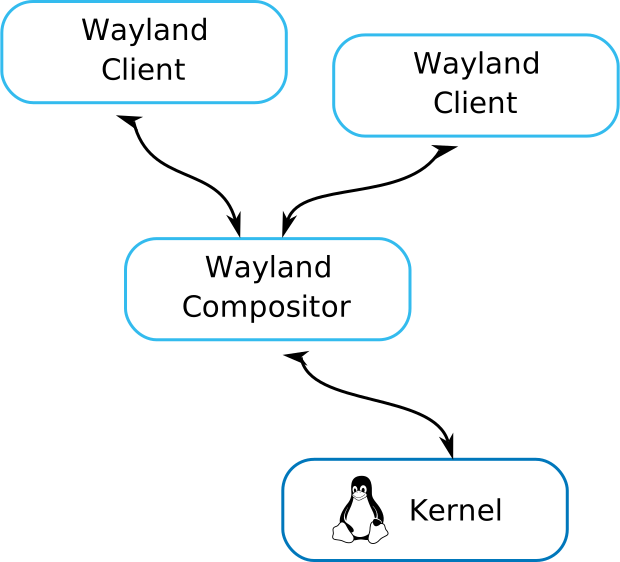
Using Wayland has many advantages for us, most notably, we can test our container on any host with an already running Wayland session. In an X based setup, we'd have to actively fight the host X server (if present) and testing on a different box could quite likely result in a broken X session as X11 is not designed to be nested.
Cage
Cage is a Wayland compositor for running a Kiosk, i.e. one application running in full screen mode and interaction with anything else is prevented. Cage is built on the popular wlroots library, which describes itself as "Pluggable, composable, unopinionated modules for building a Wayland compositor".
wlroots makes it simple to run a wayland compositor as a wayland
client itself. Set the environment variable WLR_BACKEND to wayland,
start the wlroots based compositor and it will "just work"™.
A minimal working example to get Firefox running in a nested wayland session only requires a simple container image:
FROM registry.opensuse.org/opensuse/tumbleweed:latest

RUN set -exo pipefail; \
    zypper --non-interactive ref; \
    zypper --non-interactive in MozillaFirefox cage dejavu-fonts; \
    zypper --non-interactive clean --all;

ENTRYPOINT ["/usr/bin/cage"]
CMD ["--", "firefox"]
Save the file as Containerfile and build it via
podman build -t firefox-kiosk ., then run the container as follows:
podman run --rm -it \
       --volume="$XDG_RUNTIME_DIR/$WAYLAND_DISPLAY:/run/host-wayland.sock:ro" \
       --security-opt label=disable \
       --env WAYLAND_DISPLAY=/run/host-wayland.sock \
       --env WLR_BACKENDS=wayland \
       --env WLR_RENDERER=pixman \
       --env XDG_RUNTIME_DIR=/tmp/ \
       --env MOZ_ENABLE_WAYLAND=1 \
       --env GDK_BACKEND=wayland \
           localhost/firefox-kiosk
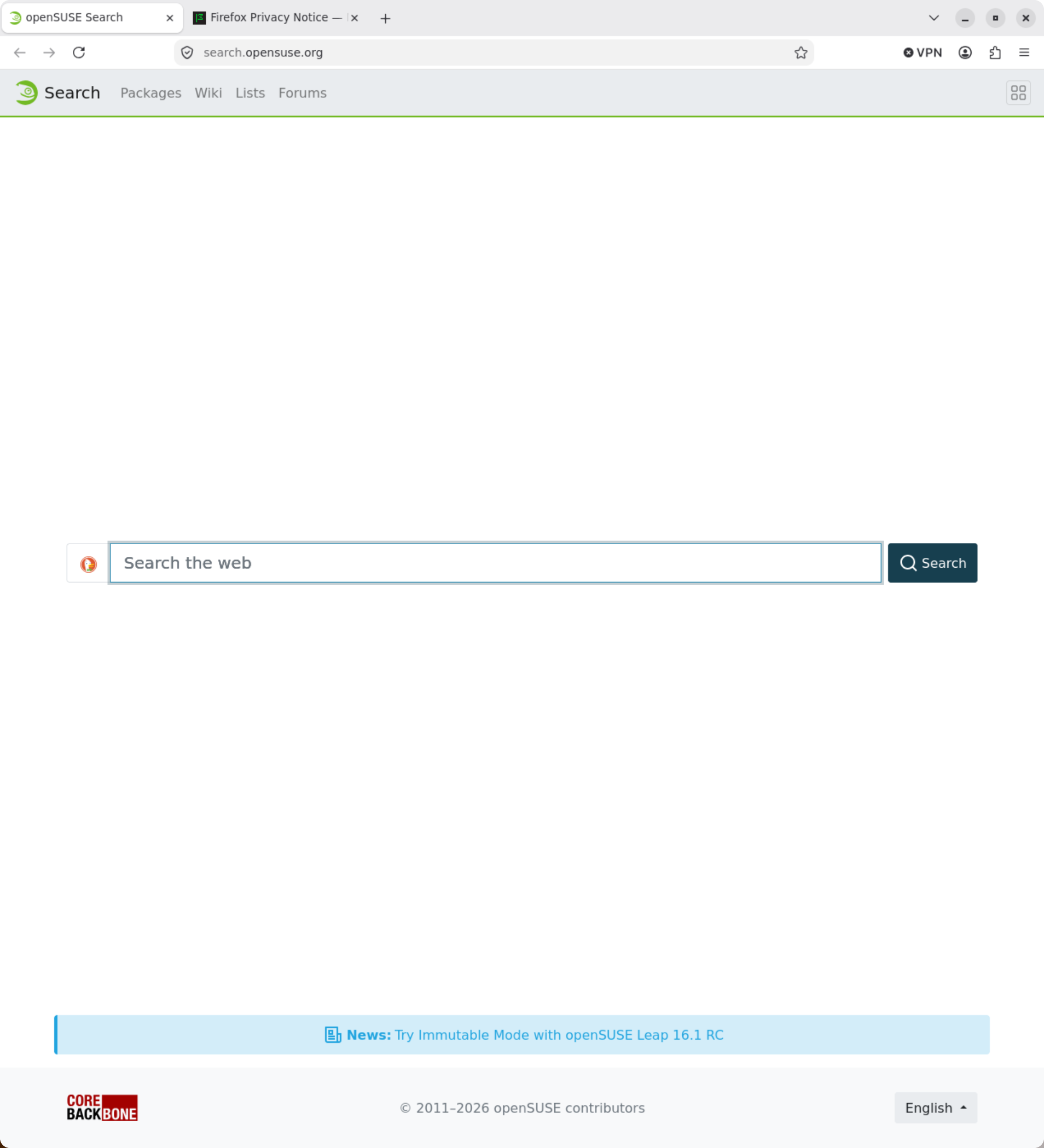
The above command will open a new Firefox window and display the default landing
pages on openSUSE as shown below.
Seatd
We have successfully launched a containerized Firefox previously, but the minimal container will not work on a headless system. Run the following command on your own minimal system with no active graphical session:
podman run --rm -it \
       --security-opt label=disable \
       --env WLR_BACKENDS=drm,libinput \
       --device="/dev/dri" \
       --volume="/dev/input:/dev/input:ro" \
       --volume="/run/udev:/run/udev:ro" \
       --env XDG_RUNTIME_DIR=/tmp/ \
       --env MOZ_ENABLE_WAYLAND=1 \
       --env GDK_BACKEND=wayland \
           localhost/firefox-kiosk
Instead of an opened Firefox window, we are greeted with an error message:
00:00:00.000 [backend/backend.c:342] Loading user-specified backends due to WLR_BACKENDS: drm,libinput
00:00:00.000 [libseat] [libseat/backend/seatd.c:64] Could not connect to socket /run/seatd.sock: No such file or directory
00:00:00.000 [libseat] [libseat/libseat.c:76] Backend 'seatd' failed to open seat, skipping
00:00:00.000 [libseat] [libseat/backend/logind.c:638] Could not get primary session for user: No data available
00:00:00.000 [libseat] [libseat/libseat.c:76] Backend 'logind' failed to open seat, skipping
00:00:00.000 [libseat] [libseat/libseat.c:79] No backend was able to open a seat
00:00:00.000 [backend/session/session.c:92] Unable to create seat: Function not implemented
00:00:00.000 [backend/session/session.c:265] Failed to load session backend
00:00:00.000 [backend/backend.c:79] Failed to start a session
00:00:00.000 [backend/backend.c:305] failed to start a session
00:00:00.000 [backend/backend.c:355] failed to add backend 'drm'
00:00:00.000 [../cage.c:333] Unable to create the wlroots backend
The error points us towards
seatd, a small seat
management daemon used by the wlroots library behind cage. Seatd
provides access to shared devices like graphics and input without the
individual application requiring root access.
We could run seatd inside the container, but that has a few
disadvantages. First, we'd have to give the container more privileges
and full access to graphics and input devices. Additionally, the
container would have to run two independent processes: seatd and
Firefox, which doesn't fit well into a single container and breaks the
one-container-one-unit paradigm. It is advantageous to run seatd on the
host instead. This allows our Firefox container to access input and
graphics devices while avoiding resource conflicts on the host that
would occur if multiple containers ran their own seatd processes.
Additionally, the container only needs access to the seatd socket and
doesn't require elevated privileges.
Assuming that seatd is running, we launch our Firefox container which
opens the same openSUSE landing page as before:
podman run --rm -it \
       --security-opt label=disable \
       --env WLR_BACKENDS=drm,libinput \
       --device=/dev/dri \
       --volume="/dev/input:/dev/input:ro" \
       --volume="/run/udev:/run/udev:ro" \
       --volume="/run/seatd.sock:/run/seatd.sock" \
       --env XDG_RUNTIME_DIR=/tmp/ \
       --env MOZ_ENABLE_WAYLAND=1 \
       --env GDK_BACKEND=wayland \
           localhost/firefox-kiosk
If seatd is not running, then you can launch it for testing purposes in the
background via seatd. A more sustainable solution is to launch seatd via
systemd. If your distribution doesn't ship a seatd unit, then grab the upstream
seatd unit, put it into /etc/systemd/system/seatd.service, create the seat group
and start seatd via systemctl enable --now seatd.
Assembling the Kiosk
Our previous experiment launched Firefox in its standard interface. For
a kiosk we want to hide the window decoration, the menu and tab bar.
Fortunately, this part is easy as Firefox supports this out of the box
via the --kiosk command line flag. We can put this all together in the
following Containerfile:
FROM registry.opensuse.org/opensuse/tumbleweed:latest

RUN zypper --non-interactive ref; \
    zypper --non-interactive in MozillaFirefox cage dejavu-fonts; \
    zypper --non-interactive clean --all

ENTRYPOINT ["/usr/bin/cage"]
CMD ["--", "firefox", "--kiosk", "https://get.opensuse.org/"]
We build the image via podman build -t firefox-test . and launch it as
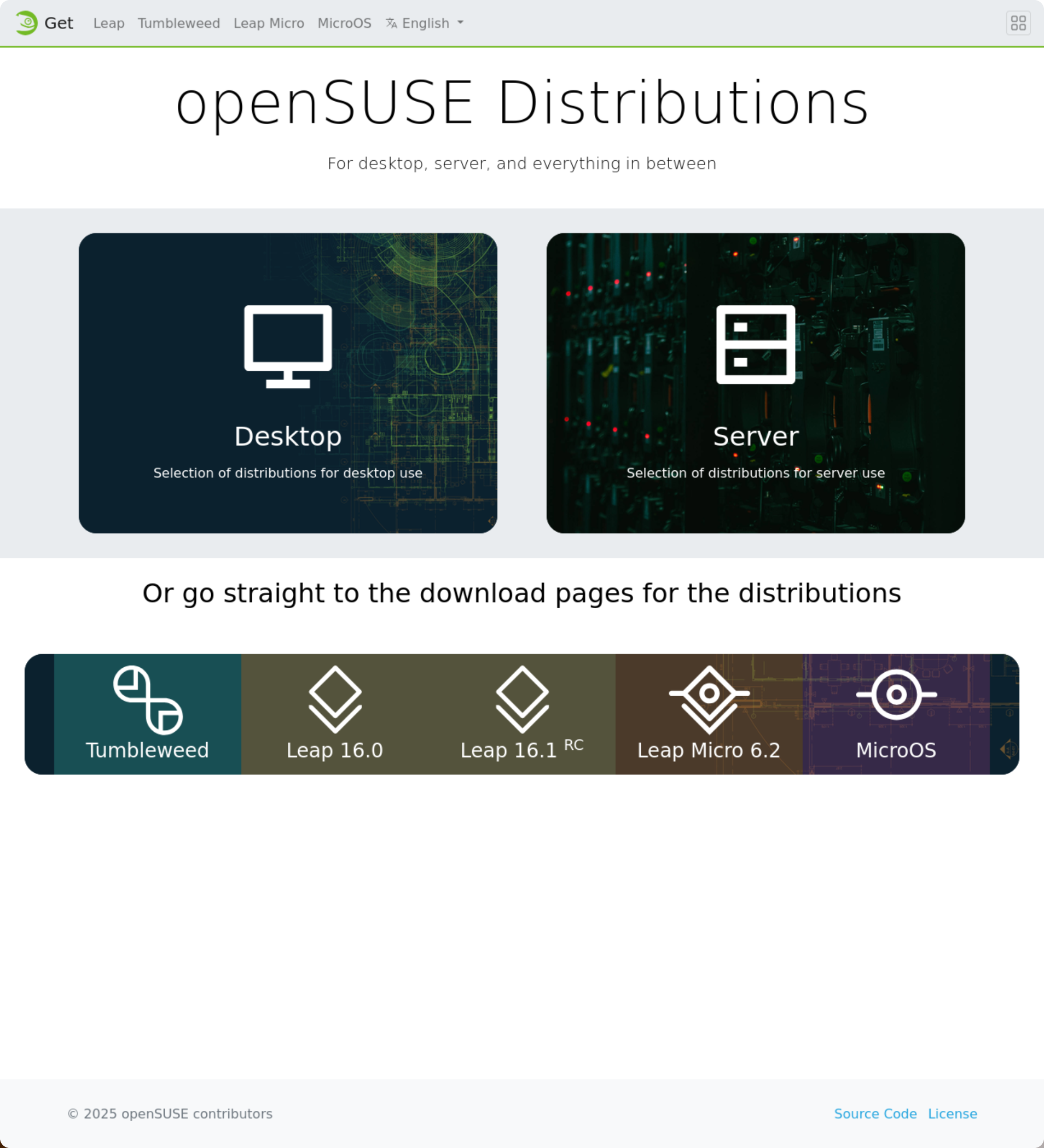
previously shown. Now Firefox opens, displaying get.opensuse.org in full screen
without any window decoration or menus:
Running as an unprivileged user
The container launches Firefox as root inside the container, which is
bad security practice. Therefore we create a new unprivileged user named
kiosk in the container image and use it as the default user.
Additionally, we pull a few of the environment variables into the
container image to shorten the podman run command:
FROM registry.opensuse.org/opensuse/tumbleweed:latest

RUN set -exo pipefail; \
    zypper --non-interactive ref; \
    zypper --non-interactive in MozillaFirefox cage dejavu-fonts shadow; \
    groupadd --gid 1000 kiosk; \
    useradd --uid 1000 --gid 1000 --home-dir /home/kiosk --create-home kiosk; \
    zypper --non-interactive remove shadow; \
    zypper --non-interactive clean --all

WORKDIR /home/kiosk/
USER 1000:1000
ENV HOME=/home/kiosk/ \
    WLR_BACKENDS=drm,libinput \
    XDG_RUNTIME_DIR=/tmp/ \
    MOZ_ENABLE_WAYLAND=1 \
    GDK_BACKEND=wayland

ENTRYPOINT ["/usr/bin/cage"]
CMD ["--", "firefox", "--kiosk", "https://get.opensuse.org/"]
After building the container image again via podman build -t firefox-kiosk ., we
launch it via:
podman run --rm -it  \
       --security-opt label=disable \
       --device=/dev/dri \
       --volume="/dev/input:/dev/input:ro" \
       --volume="/run/udev:/run/udev:ro" \
       --volume="/run/seatd.sock:/run/seatd.sock" \
           localhost/firefox-kiosk
But the container fails to launch Firefox. Instead of the kiosk, we see the following error message on the console (among other):
00:00:00.000 [backend/backend.c:342] Loading user-specified backends due to WLR_BACKENDS: drm,libinput
00:00:00.000 [libseat] [libseat/backend/seatd.c:66] Could not connect to socket /run/seatd.sock: Permission denied
The error indicates that while /run/seatd.sock exists, the container process has
no permission to access it. The cause of this is how seatd is launched. If you
have used the upstream or distribution provided systemd unit, then seatd is
invoked via seatd -g seat. The -g flag instructs seatd to set the group owning
the seatd socket to seat. Everyone outside of that group has no access to the
socket, as its access rights are set to 0770.
Our container process is running with a different effective user ID and none of
the supplementary groups of the current user. Therefore, the container process
does not have permission to access the seatd socket. We remedy this by
explicitly adding the seat group to the container process via the --group-add
flag. We need to pass the numeric group id here, as the container image does not
have an entry for the seat group in its /etc/group. By providing a numeric group
ID, we force podman to use the hosts GID:
podman run --rm -it  \
       --group-add="$(getent group seat|awk -F':' '{print $3}')" \
       --security-opt label=disable \
       --device=/dev/dri \
       --volume="/dev/input:/dev/input:ro" \
       --volume="/run/udev:/run/udev:ro" \
       --volume="/run/seatd.sock:/run/seatd.sock" \
           localhost/firefox-kiosk
The above command gets us further, but still no Firefox window. Instead, we obtain the following output:
00:00:00.000 [backend/backend.c:342] Loading user-specified backends due to WLR_BACKENDS: drm,libinput
00:00:00.000 [libseat] [libseat/libseat.c:73] Seat opened with backend 'seatd'
00:00:00.000 [libseat] [libseat/backend/seatd.c:218] Enabling seat
00:00:00.000 [backend/session/session.c:117] Successfully loaded libseat session

# snip #

MESA-EGL: warning: failed to open /dev/dri/renderD128: Permission denied
00:00:00.021 [EGL] command: eglInitialize, error: EGL_NOT_INITIALIZED (0x3001), message: "DRI2: failed to load driver"
MESA-EGL: warning: failed to open /dev/dri/renderD128: Permission denied
00:00:00.021 [EGL] command: eglInitialize, error: EGL_NOT_INITIALIZED (0x3001), message: "DRI2: failed to load driver"
MESA-EGL: warning: failed to open /dev/dri/card0: Permission denied
00:00:00.021 [EGL] command: eglInitialize, error: EGL_NOT_INITIALIZED (0x3001), message: "DRI2: failed to load driver"
00:00:00.021 [EGL] command: eglInitialize, error: EGL_NOT_INITIALIZED (0x3001), message: "eglInitialize"
This indicates yet another permission problem, this time with the graphics
device /dev/dri/renderD128. The device file is owned by root and the group
render with the access rights 0660. Adding the render group explicitly to the
container process resolves the issue and Firefox launches successfully with the
following command:
podman run --rm -it  \
       --group-add="$(getent group render|awk -F':' '{print $3}')" \
       --group-add="$(getent group seat|awk -F':' '{print $3}')" \
       --security-opt label=disable \
       --device=/dev/dri \
       --volume="/dev/input:/dev/input:ro" \
       --volume="/run/udev:/run/udev:ro" \
       --volume="/run/seatd.sock:/run/seatd.sock" \
           localhost/firefox-kiosk
Dropping capabilities
The container runs with the default capability set, but does not require most of them. From a security perspective, it is good practice to drop all capabilities that are not required. This is especially important if the container is run as root (even if the container process itself is not root).
We drop all capabilities by adding the --cap-drop=all command line flag to the
podman run command. Sadly, this again breaks the kiosk container. Instead of a
Firefox window, we are greeted with a white screen and plethora of error
messages on the console:
[118] Sandbox: chroot: EPERM
[158] Sandbox: chroot: EPERM
[149] Sandbox: chroot: EPERM
[182] Sandbox: chroot: EPERM
[GFX1-]: VideoBridgeParent receives IPC close with reason=AbnormalShutdown
[222] Sandbox: chroot: EPERM
[Parent 16, IPC I/O Parent] WARNING: process 148 exited on signal 11: file firefox-156.0/ipc/chromium/src/chrome/common/process_watcher_posix_sigchld.cc:161
Firefox ships its own security sandbox that requires the ability to run chroot()
which the container process is now no longer allowed to run due the dropped
capabilities. We could disable the sandbox, or give the container the capability
to run chroot() again via --cap-add=SYS_CHROOT. We opt for adding the
capability, to not weaken Firefox's own sandbox. The full container invocation
now becomes:
podman run --rm -it  \
       --cap-drop=all --cap-add=SYS_CHROOT \
       --group-add="$(getent group render|awk -F':' '{print $3}')" \
       --group-add="$(getent group seat|awk -F':' '{print $3}')" \
       --security-opt label=disable \
       --device=/dev/dri \
       --volume="/dev/input:/dev/input:ro" \
       --volume="/run/udev:/run/udev:ro" \
       --volume="/run/seatd.sock:/run/seatd.sock" \
           localhost/firefox-kiosk
Deploying the Kiosk
We have successfully built our kiosk image, but launching the container manually is inconvenient for a kiosk at a booth. Instead it should be launched automatically by systemd on boot. Podman offers a convenient helper for this: quadlet. Quadlet is a systemd-unit generator, it automatically creates systemd units from configuration files that describes our container in a declarative fashion. The advantage of using quadlet instead of writing our own systemd unit is that we don't have to take care of integrating podman into the systemd unit lifecycle (like handling startup, signals, loging, cleanup, etc.) ourselves. The systemd generator takes care of the lifecycle and plumbing, we only have to provide the container launch settings.
The podman quadlet man page (also available via man 5 podman-systemd.unit or man
5 podman-container.unit) describes in full detail how to create a
kiosk.container file, where to place the files, etc. If you are lazy like me,
then you can also use the podlet utility to generate the required
kiosk.container file for you. All we have to do is prepend podlet to the podman
run command from the previous section and podlet will print the kiosk.container
file to stdout:
podlet \ podman run --rm -it \ --cap-drop=all --cap-add=SYS_CHROOT \ --group-add="$(getent group render|awk -F':' '{print $3}')" \ --group-add="$(getent group seat|awk -F':' '{print $3}')" \ --security-opt label=disable \ --device=/dev/dri \ --volume="/dev/input:/dev/input:ro" \ --volume="/run/udev:/run/udev:ro" \ --volume="/run/seatd.sock:/run/seatd.sock" \ localhost/firefox-kiosk
Warning: run the podlet command on the kiosk host or get the group
id of the render and seat groups from the kiosk machine.
Hint: you can run podlet from a container on your kiosk host via
podman run ghcr.io/containers/podlet.
For a properly unattended kiosk, we should extend the unit. First, we want the
unit to be installed (else it will not be autostarted by systemd), which we
achieve by adding the --install flag to podlet. The Firefox container unit must
not start before seatd is running and also not before the network is up. And
at last it should restart automatically, in case of crashes. We pass this on as
additional flags to podlet as follows:
podlet --install \
       --after network-online.target \
       --requires seatd.service \
    podman run --rm  \
       --name=kiosk \
       --restart=always \
       --cap-drop=all --cap-add=SYS_CHROOT \
       --group-add="$(getent group render|awk -F':' '{print $3}')" \
       --group-add="$(getent group seat|awk -F':' '{print $3}')" \
       --security-opt label=disable \
       --device=/dev/dri \
       --volume="/dev/input:/dev/input:ro" \
       --volume="/run/udev:/run/udev:ro" \
       --volume="/run/seatd.sock:/run/seatd.sock" \
           localhost/firefox-kiosk
The quadlet configuration file is ready to be used. We can either
redirect the output of podlet into a kiosk.file or add the --file
flag to podlet. We install the kiosk.container via
podman quadlet install kiosk.container and launch it via
systemctl start kiosk.
Next Steps
The kiosk is now fully operational, but still depends on a local container image. A possible extension would be to either build the image in a CI and push it to a registry or to utilize podman's build unit to build the container image on the fly before starting the container.